· By Chris Ioannou
Building a futures risk calculator
Building a micro and mini futures risk calculator with CME tick values, plain JavaScript and a GitHub-backed static site workflow.
Turning a price move into a cash amount
I wanted a quick way to answer a practical question before a futures trade: if the market moves against me by this much, what does that mean in dollars for the number of contracts I am holding?
The arithmetic is simple once the contract values are clear. Remembering those values across different markets is where it becomes awkward.
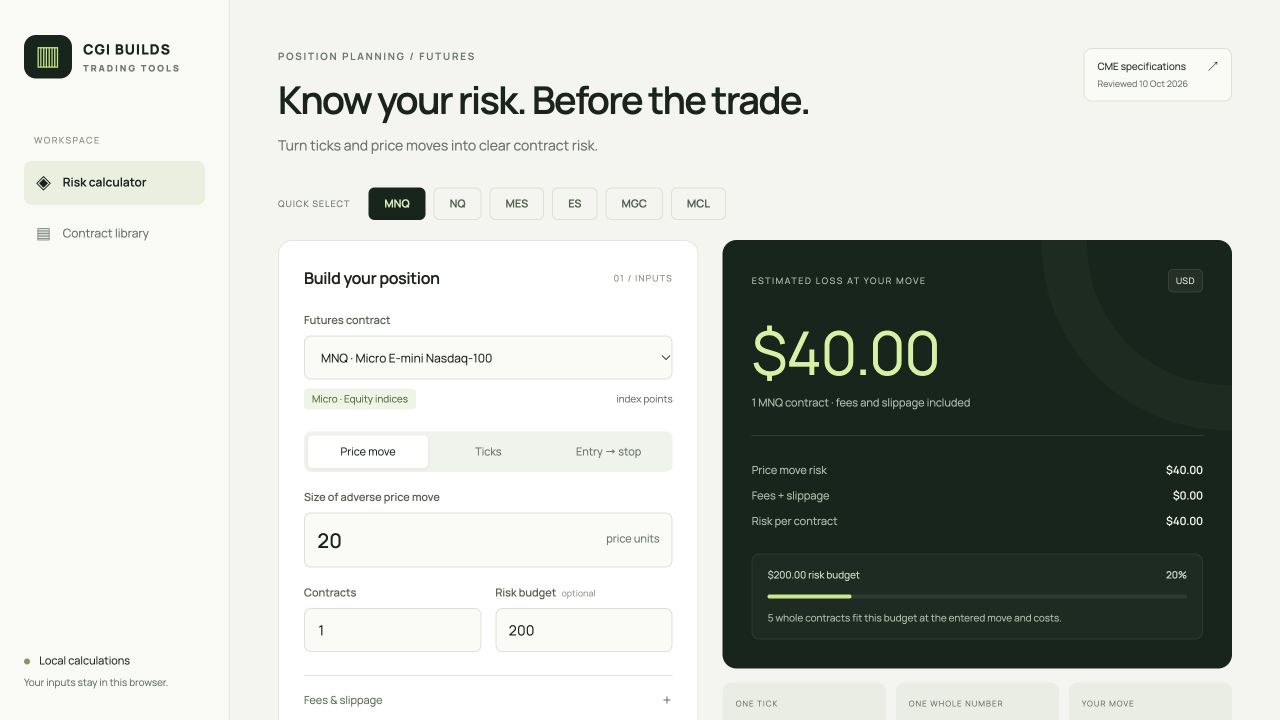
That led to the futures risk calculator: a dashboard where I can choose a contract, enter a move and contract count, and see the estimated risk immediately.
Getting the units right
The starting point was CME's published contract specifications. Each contract needs both its minimum price increment and the cash value of that tick.
A tick and a whole quoted price unit are different things. Some markets quote in index points, others in cents or fractions. A move of 1.00 on the screen does not carry the same dollar value across markets.
For example, Micro E-mini Nasdaq-100 futures, MNQ, have a 0.25-point tick worth $0.50. That makes one whole index point worth $2 per contract. A 20-point adverse move across three contracts therefore represents $120 before costs. The equivalent move across three E-mini Nasdaq-100 contracts represents $1,200.
The first version contains 81 selected contracts across seven asset classes, including micro and mini products. Each record links back to its CME specification source, with a review date of 10 October 2026. It is a reference library of contract values, rather than a live market-price feed or a complete catalogue of every CME product.
Making the calculation useful while trading
The dashboard accepts a move in quoted price units, a tick count, or an entry and stop price. It also lets me include estimated round-trip fees and slippage, compare related contract sizes, and work backwards from a risk budget to a maximum contract count.
The basic calculation is:
Move in ticks × tick value × contracts
Fees and the selected slippage allowance are then added to that estimate. For a price move that falls between valid ticks, the calculator rounds the risk distance up to a full tick and shows a warning.
One useful check was two MES contracts with a 10-point stop, $1.20 in round-trip fees per contract and two ticks of slippage. The price-move risk is $100, the slippage allowance adds $5 and fees add $2.40, producing $107.40.
These are planning estimates. A stop price does not guarantee an execution price, and actual trading losses can exceed the amount displayed.
Keeping the page static
The calculator uses ordinary HTML, CSS and JavaScript, with contract specifications stored in a JSON file. It runs in the browser and saves the last input settings locally.
There is no Next.js application server or database behind it. The build writes the main page copy, all 81 contract rows, default risk figures and a worked example directly into the HTML response. The contract reference stays readable with JavaScript disabled. JavaScript enhances that HTML with interactive calculations, contract selection and filtering.
I kept the calculator’s focused dashboard layout and green palette, while using the same Manrope font as the homepage.
Keeping the publishing workflow coherent
The tool belongs in the same repository and build output as the rest of the site. A deployment that replaces the web root can otherwise remove a directory that was uploaded separately.
The journal entry lives in the existing content file used by Decap CMS, so future edits can follow the normal GitHub-backed workflow. The site build includes both the article and the calculator, ready for GitHub Actions to deploy together to nginx on the VPS.
That is the part I like about this setup: a useful interactive tool can still fit into a small static site, with versioned content and a publishing workflow I can understand.