March 2026
Learning server infrastructure by starting from scratch
Learning how to set up a server and all of the little obstacles along the way.
The real work starts before the page loads
Getting a site live on a server sounds simple when you describe it quickly.
Buy a domain. Point it at the server. Install nginx. Add SSL. Done.
In practice, the useful part of the work is learning that those are separate layers, and that each one fails in a different way.
That matters because if you do not know which layer is broken, you end up fixing the wrong thing.
Domain and DNS
The domain is the public name. DNS is the system that tells the internet where that name should go.
That sounds obvious, but a lot of early confusion comes from treating domain setup and hosting setup as the same thing. They are connected, but they are not the same.
In this case, the important pieces were:
- making sure the domain resolved to the VPS public IP
- understanding that public DNS should use the server's public IP, not a Tailscale address
- checking that both the root domain and subdomains pointed where they were supposed to
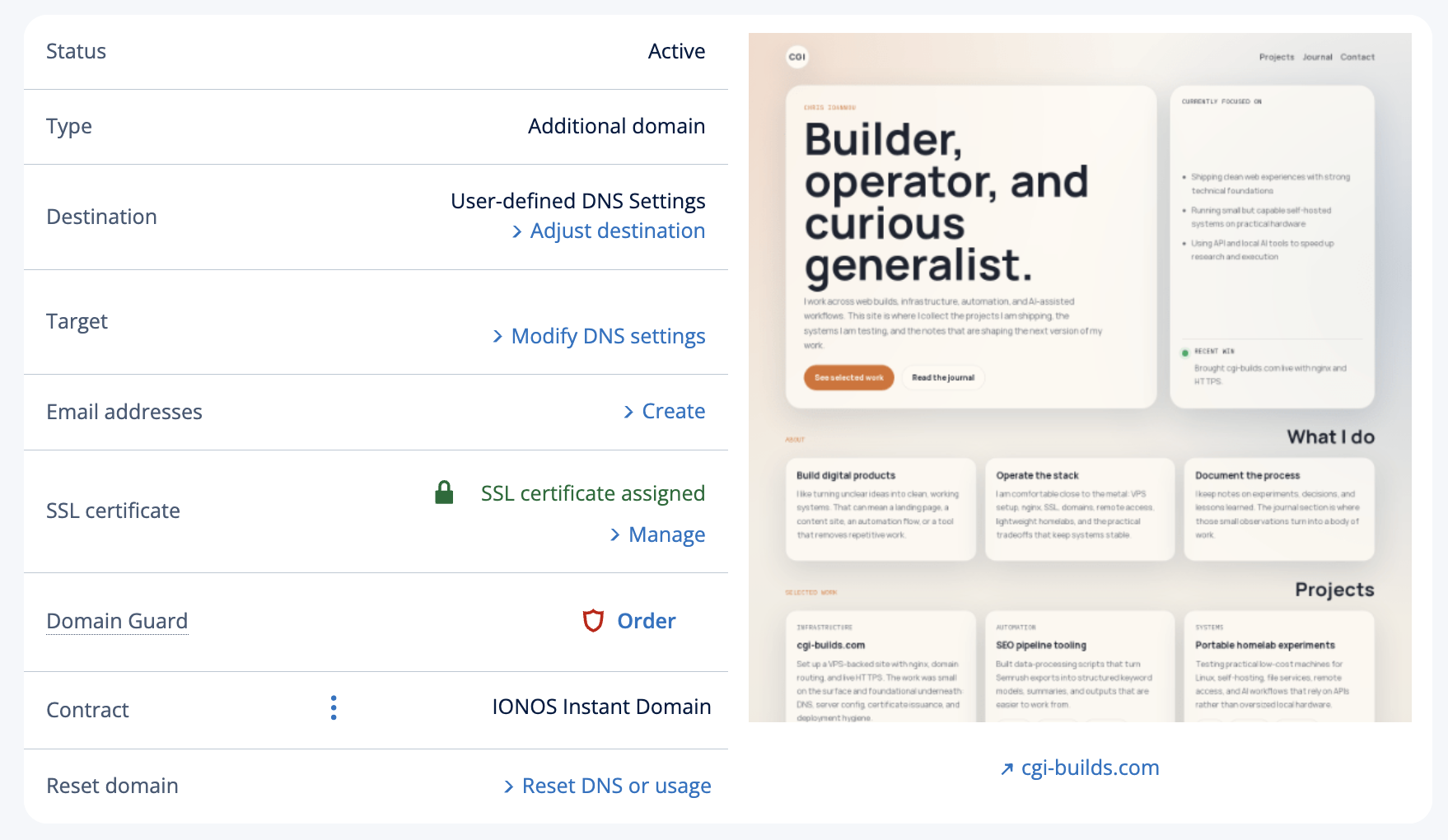
Once DNS is wrong, everything after that becomes noise.
Routing traffic to the right place
Once DNS is correct, the next question is whether traffic is actually reaching the server and the right service.
That means checking things like:
- is port 80 open
- is port 443 open
- is nginx listening
- is the correct server block answering for the domain
This is where local server tests become useful.
A site can work perfectly on localhost and still fail publicly if routing, firewall rules, or the server block do not line up with the hostname being requested.
nginx is where the site becomes real
nginx is the point where the domain, the file system, and the incoming request finally meet.
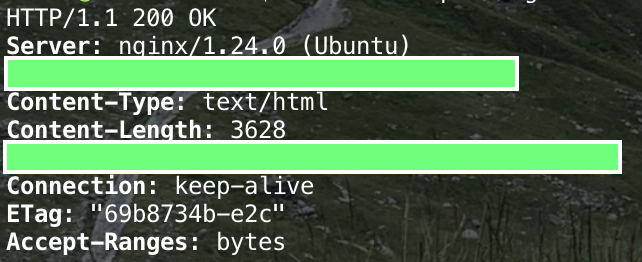
That was where the setup became tangible:
- creating the site config
- pointing
server_nameto the real domain - setting the correct
root - making sure the expected files actually existed
- testing the config before reloading it
A lot of confusion disappears once you can answer this question clearly:
Which file path is nginx actually serving for this domain?
If you cannot answer that, you are still guessing.
HTTPS is not just a checkbox
One of the more useful lessons was realising that having an SSL certificate visible in a registrar dashboard is not the same as actually serving HTTPS from the web server.
The server still needs to:
- listen on
443 - have the correct certificate installed
- present a certificate that matches the hostname being requested
That was the point where Let's Encrypt and certbot became the cleaner route. Instead of trying to reason about a certificate sitting elsewhere, the certificate was issued and installed directly on the VPS where nginx could actually use it.
Once that was in place, HTTPS stopped being theoretical and became a real server capability.
Security is mostly about reducing unnecessary exposure
At this scale, security is less about looking impressive and more about being deliberate.
The practical steps mattered more than anything fancy:
- locking down SSH
- preferring Tailscale for server access
- keeping public DNS on the public IP
- using HTTPS everywhere
- making sure the right ports were open and the wrong ones were not
- avoiding extra moving parts unless they solved a real problem
It is easy to add complexity in the name of security. It is harder, and usually better, to reduce attack surface and keep the setup understandable.
The hidden lesson is layering
The biggest lesson was not how to write the nginx config or how to run certbot.
It was learning to think in layers:
- Does the domain resolve correctly
- Does traffic reach the server
- Is nginx listening on the right ports
- Is the right server block matching the hostname
- Is the correct directory being served
- Is HTTPS actually configured on the server
- Is access to the machine itself sensible
That sequence turns chaos into something manageable.
What I would recommend
If I were doing a first server setup again, I would move through it in this order:
- Confirm DNS
- Confirm basic HTTP on port 80
- Confirm nginx root and site files
- Add HTTPS with Let's Encrypt
- Tighten access and admin paths
- Only then start adding nicer features like CMS tooling and deployment automation
The temptation is always to jump ahead to the interesting parts.
The better move is to get the fundamentals down first.